
My apologies to the 3 awesome people who have subscribed to my feed already, but I wanted to do a quick rundown of what RSS is and how to watch feeds. You tech-savvy watchers can ignore this post.
RSS stands for “Really Simple Syndication,” and that’s not a lie. It really is simple. All you have to know is that subscribing to RSS feeds will make your life easier because you won’t have to visit your favorite sites and obsessively refresh them anymore. All the posts can be delivered to you, in one place.
I use Google Reader as my RSS reader because, let’s face it, Google rocks at everything, and because it’s online so I can access it from any computer. This guide is going to be about how to add feeds to Google Reader, mainly, but the principles apply to all RSS readers.
Once you navigate to the blog/website of your choice, find the RSS icon in your browser. It’s always orange, squarish, with waves in it. In Firefox, it’s on the right-hand side of the location bar:

In Internet Explorer, the icon is underneath the search box on the right-hand side:

(But Internet Explorer has a fuggin’ weird way of handling feeds. It basically adds them to your “favorites” list. If you are okay with that, cool. If you’d like to add the feed to Google Reader, you’ll have to work a little harder; this guide should cover it for you.)

Anyway, back to Firefox. Click on the RSS icon and choose whichever option you’d like. The first one will usually be the one you want. It will take you to a page where you will choose what to subscribe with. Choose “Google,” and voila! The feed is in Google Reader. What does it look like when one person has far too many feeds? Well, let me show you.
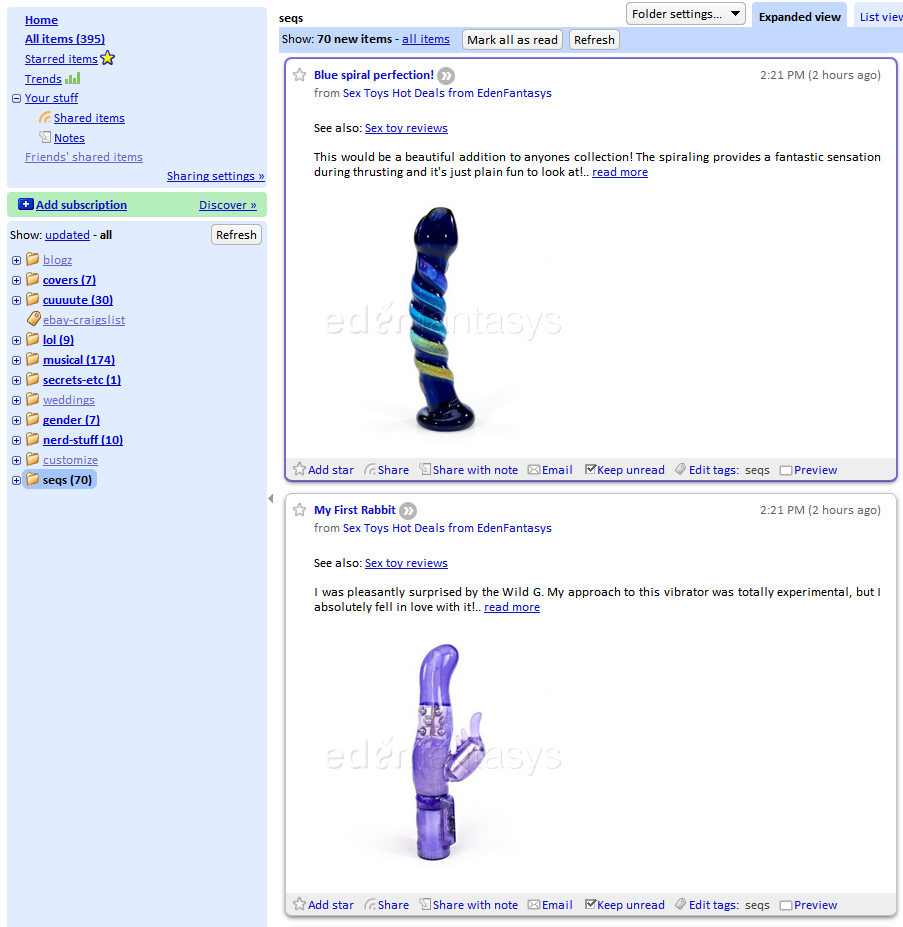
The folder with all my sex blogs and stuff in it is called “seqs.” It’s my little way of being stealthy.
So now that you know how to subscribe to RSS feeds, go find some to subscribe to! Might I suggest:
I know this hasn’t been especially in-depth, so if you encounter any problems, feel free to email me (hey.epiphora at gmail dot com) and I will be happy to help you!